Audi A1

The Quick Answer
Pick up an Audi A1 — yours, secondhand, whatever, even one you’ve just borrowed for the weekend — and sooner or later you notice a button on the driver’s door that the handbook never quite gets round to explaining. You haven’t missed anything obvious. People ask about this constantly on Audi forums. Turns out there isn’t just one button anyway. There are two, sometimes three, and none of them do the same thing.
Most A1 owners asking this are really after one of two answers: the central locking switch that locks or unlocks the whole car from inside, or a smaller, easy-to-miss button that kills the interior alarm sensors. Then there’s a setting tucked away in the MMI menu deciding whether one press of the key fob opens every door or just the driver’s — and that one, honestly, trips people up more than either actual button does.
In short
A padlock or key icon usually means central locking — it opens or shuts every door and the boot at once. A plain, unlabelled button near the door frame is almost always the alarm sensor switch, which stops a dog or a loose bag setting off the alarm. If your A1 only unlocks the driver’s door on the first press of the fob, that’s a security setting, not a fault.
Central Locking — Lock and Unlock Everything at Once
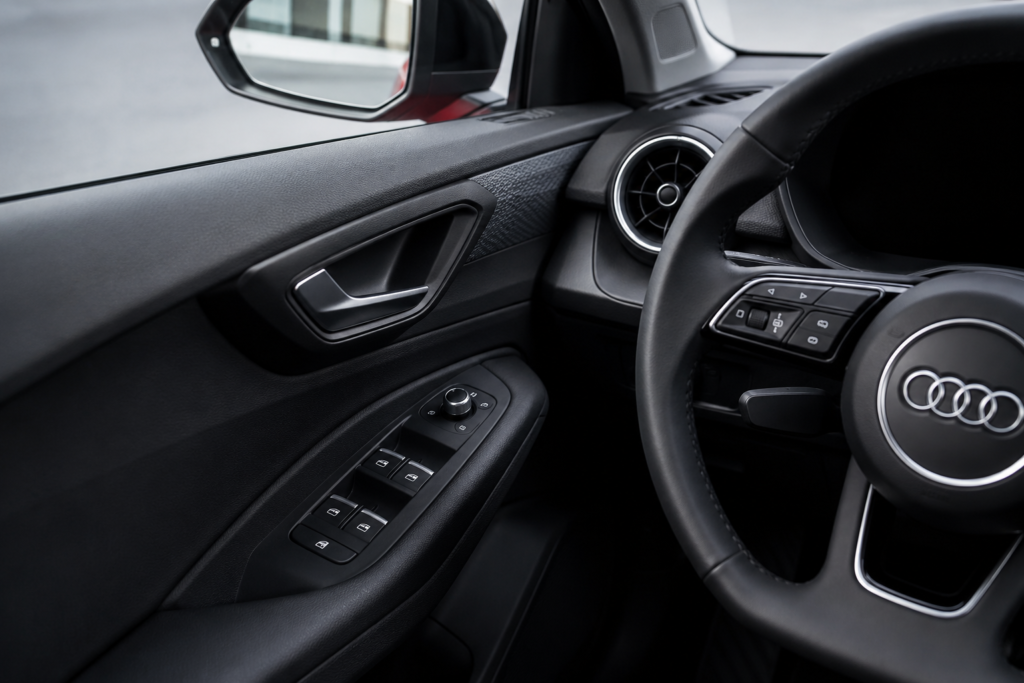
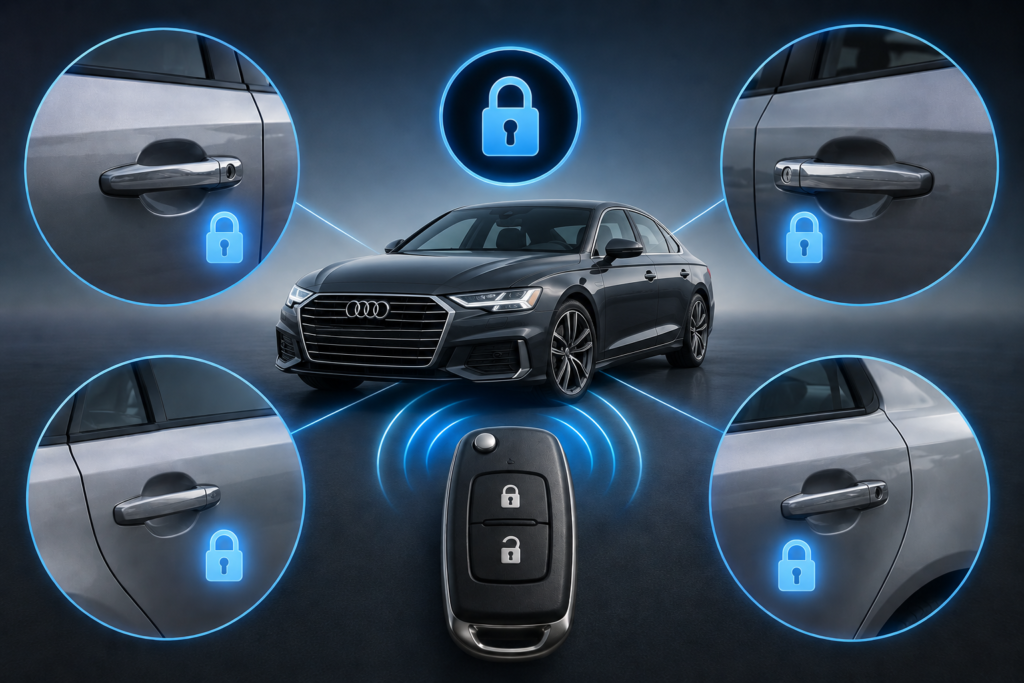
This is usually the one people mean. It lives on the door card near the window switches, marked with a padlock or key symbol that points two ways — lock on one side, unlock on the other.
Press the unlock side and every door pops open at once, boot included on most A1s. Press lock and the whole car shuts itself up. Same job your key fob already does, just done from the inside rather than standing outside pointing a fob at it.
So why bother if the fob already does this? Because half the time you’re already sat in the car when you need it. Passenger’s stood by the rear door, you don’t fancy leaning over to flick their lock manually, or the fob’s gone missing somewhere at the bottom of a bag — this switch sorts it in a second. Comes in handy too if your A1’s one of the ones that only ever unlocks the driver’s door first, which we’ll get into shortly because it catches almost everyone out at some point.
Worth doing
Get into the habit of locking up with this switch as soon as you pull away, especially in town. Plenty of A1s don’t auto-lock at speed unless that’s been switched on separately in the settings.
The Other Button — Switching Off the Interior Alarm Sensor
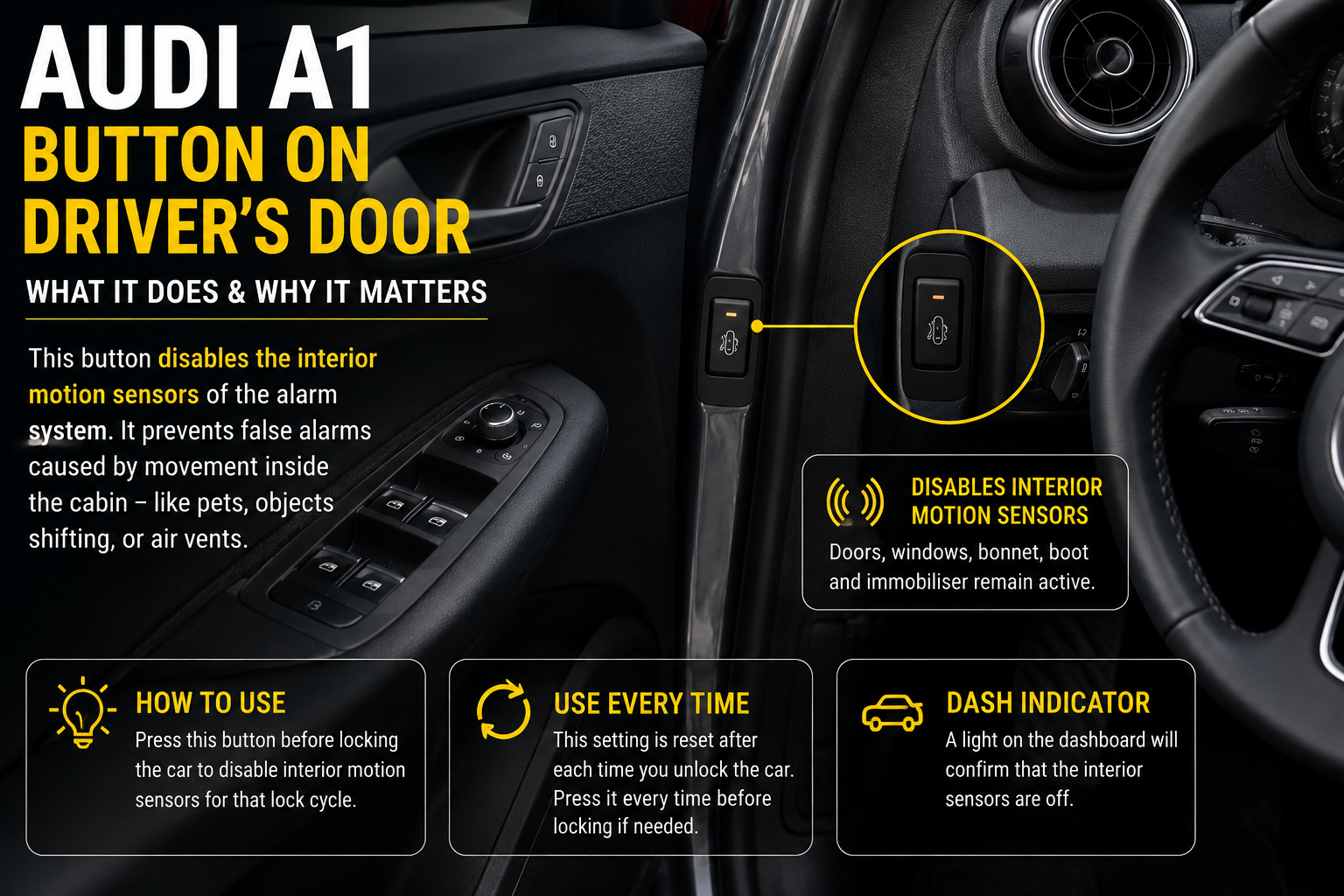
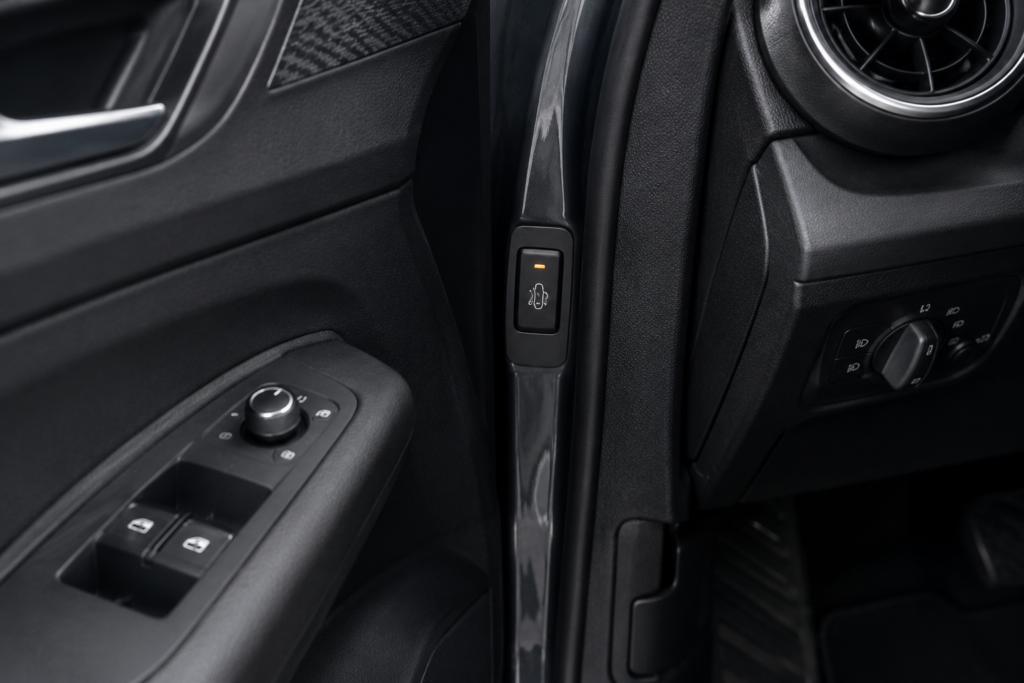
This is the one that actually causes the confusion. It’s smaller, often unlabelled, and sometimes sits on the door frame itself rather than the door card — right where your hand naturally rests when the door’s open.
It has nothing to do with locking the doors. It controls the motion sensors inside the cabin that are part of the alarm system. Lock an Audi A1 with the alarm armed, and it’s not just watching the doors and windows — it’s also watching the space inside the car using ultrasonic sensors. Anything moving in there while it’s locked sets the alarm off.
Which is fine, until you leave a dog in the car with the windows cracked on a warm day, and the dog shifting around on the back seat triggers the whole thing in a car park. Same goes for a bag falling over, a phone buzzing on the seat, or a helium balloon catching a draft from the air vents. None of that is a security threat, but the sensors don’t know that — they just know something moved.
Press this button before you lock the car, not after — it switches off just the interior motion detection for that lock cycle. The door sensors, the boot, the bonnet, the immobiliser, all of that carries on exactly as before. You’re only knocking out the part watching the inside of the cabin, nothing else.
A couple of things worth knowing: it usually needs pressing every single time you lock up, not just once and forgotten. There’s normally a small light on the dash somewhere that confirms the sensors are off, though where exactly depends on your dash layout. And no, it won’t cancel an alarm that’s already gone off — you have to press it beforehand.
One thing worth checking
A few A1 owners have mentioned the same button also disables a separate tilt sensor — the one that detects the car being jacked up or towed. Useful to know if you’re putting the car on a trolley jack. Check your specific handbook, since it can vary slightly by year.
Why Only the Driver’s Door Unlocks
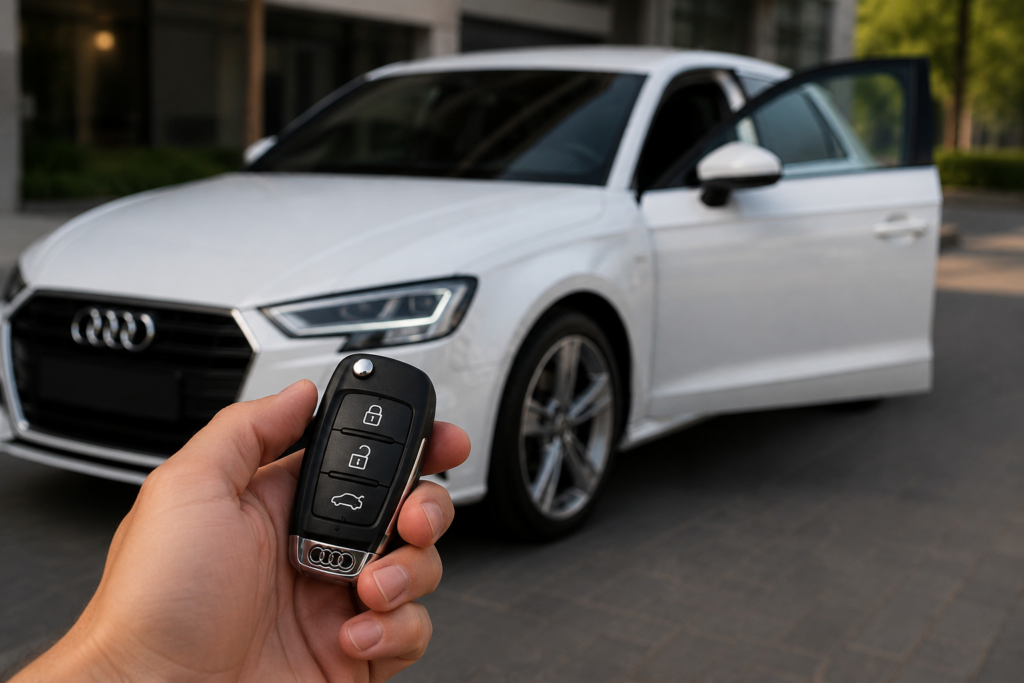
This is probably why you’re actually here. Loads of A1 owners notice that pressing unlock on the fob only opens the driver’s door — everything else, passenger doors, boot, just sits there locked until you press it again.
Nothing’s broken. Audi did that on purpose. The thinking is that opening just the driver’s door first gives you a second to check what’s around you before the whole car swings open to anyone nearby. Makes sense on paper. In real life, when you’re carrying shopping or there’s a kid who needs the back door, it gets old fast.
There are two ways round it. Press unlock twice quickly on the fob and the whole car opens, boot included. Or use the central locking switch from inside once you’re in the driver’s seat — exactly the situation that switch exists for.
If you’d rather not deal with double-pressing every time, the setting lives in the MMI under vehicle settings, usually called something like ‘unlocking single door.’ Switch it off and one press opens everything from then on. Fair warning though — owners on the Audi A1 Forum have flagged that this setting doesn’t always stick on the first attempt. Change it, test it, and if it’s reverted back to single-door, just go through the menu again. It seems to be a known quirk across several VW Group cars built on similar platforms, not a fault unique to your car.
A Couple of Others While We’re Here
Depending on year and trim, there are a few more controls in the same area that occasionally get mixed up with the two above.
Window switches are the obvious ones — usually four on the driver’s door, plus a small lock icon that stops rear passengers operating their own windows. There’s a mirror joystick with a left/right selector for adjusting both door mirrors, and on higher trims sometimes a separate button for auto-folding or auto-dimming mirrors, which has nothing to do with locking or alarms at all.
If your A1 has Advanced Key — Audi’s keyless entry, the same idea as what BMW calls Comfort Access — there’s also a touch-sensitive pad built into the outside door handle. This one catches people out more than anything else on this list. Touching the front of the pad locks the car. To unlock, you grip behind the handle instead, the side nearest the door. Press the pad expecting it to unlock and you’ll lock the car instead, which is exactly what several A1 Forum threads describe people doing by accident.
If keyless entry stops responding
The proximity sensors on Advanced Key are known to switch off after a few days of the car sitting unused, as a way of saving battery. Pull the handle once to wake it up, then again to unlock. If it’s still unreliable after that, there are software updates dealers can apply — this has been a known issue on early A1s.
Useful Links
Audi A1 Forum — owner discussions on locking and alarm settings
Audi-Sport.net — wider Audi community, similar threads
AudiWorld Forums — model-specific troubleshooting
Audi UK — official manuals and owner support
Quick Answers
The Bottom Line
The button on an Audi A1’s driver’s door usually isn’t much of a mystery once you know what you’re looking at — central locking for the whole car, or the alarm sensor switch keeping a dog or a stray bag from setting things off. If your A1 only opens the driver’s side first, that’s just how Audi built it, not a fault, and the central locking switch is exactly what’s sitting there to fix it from inside.
Still not sure which is which on yours? Check the icon, pull up the handbook for your year, or just post a photo on one of the forums above. Someone there will know within minutes — they answer this kind of thing almost daily.
Button positions and functions vary slightly by A1 model year and trim. Check your own handbook or an Audi dealer if you’re unsure.